

Why a crypto wallet is not a luxury
Anyone who buys cryptocurrency soon thinks it’s done: account created, coins bought, done. But where exactly are those coins? On an exchange where you have an account. And that’s precisely the problem. Because what’s on an exchange is technically not yours. It belongs to the exchange, which manages it on your behalf.
That sounds abstract, but the consequences are very concrete. When the major crypto exchange FTX went bankrupt in November 2022, millions of customers found they could no longer withdraw their balances. Investors lost confidence in centralised exchanges and withdrew their money en masse. Ultimately, a large part of the damage was covered, but customers had to wait for years, and they completely missed the interim price rises. Those who had their Bitcoin in their own custody didn’t have that problem.

A hardware wallet is the answer to this risk. It’s a physical device the size of a USB stick that stores the keys to your crypto completely offline. No bank, no exchange, no third party in between. Only you.
Not quite up to speed with crypto yet? Then first read our crypto guide.
How does a hardware wallet work?
To understand what a hardware wallet does, you must first understand how crypto ownership works.
Coins, keys and addresses
Your crypto coins aren’t stored on the device itself. They’re on the blockchain: a decentralised, worldwide network. What a hardware wallet stores are the private keys: the secret codes that prove you’re the rightful owner and with which you can authorise transactions.
Compare it to a bank account. Your wealth is held at the bank, but you have a PIN code to access it. In crypto you’re the bank yourself, and your private key is your PIN code. Except that PIN code is mathematically so complex that nobody can guess it in hundreds of years. The private key consists of a series of numbers and letters to the power of 77, which means cracking such a code would take millions of years.
Offline = safe
What makes a hardware wallet fundamentally different from software on your computer or phone is that the private key never leaves the device. When you make a transaction, it’s signed on the device itself, without the key ever being exposed to the internet. Cold wallets keep private keys completely offline and use the hardware device to sign transactions, which greatly reduces the risk of remote attacks.
The seed phrase: your ultimate back-up
During the setup of a hardware wallet, you receive a series of 12 or 24 random words. This is your seed phrase. That’s the only way to restore your wallet if the device is lost, broken or stolen. Whoever has these words has access to your crypto. Whoever loses them no longer has access.
Warning
Never store your seed phrase digitally. Not in a photo, not in a notes app, not in the cloud. Write it down on paper or engrave it in metal, and keep that in a safe place. This is not excessive caution.
When do you really need a hardware wallet?
Not everyone who puts a tenner into Bitcoin immediately needs a hardware wallet. But as soon as you’re storing serious amounts, it’s no longer an option, but a basic requirement.
There are three situations where we’d say: do it now, not later.
- You’re storing more crypto than you’re willing to lose in a hack or bankruptcy of an exchange.
- You want to hold your crypto for the longer term and not trade daily.
- You value financial sovereignty and don’t want to be dependent on a third party.
Hot wallet vs. cold wallet
A hot wallet is a software wallet that’s connected to the internet. For example, an app on your phone or a browser extension like MetaMask. Handy for small amounts and daily use, but vulnerable to hacks, malware and phishing.
A cold wallet stores your keys completely offline. A hardware wallet is the most user-friendly and secure variant of a cold wallet. Cold wallets are generally considered the safest way to store crypto, as long as they’re used correctly.
A practical approach many users adopt: a small amount on a hot wallet for daily use, the rest in cold storage.
Which hardware wallets are there?
The market has a handful of established names, each with their own strengths.
Ledger
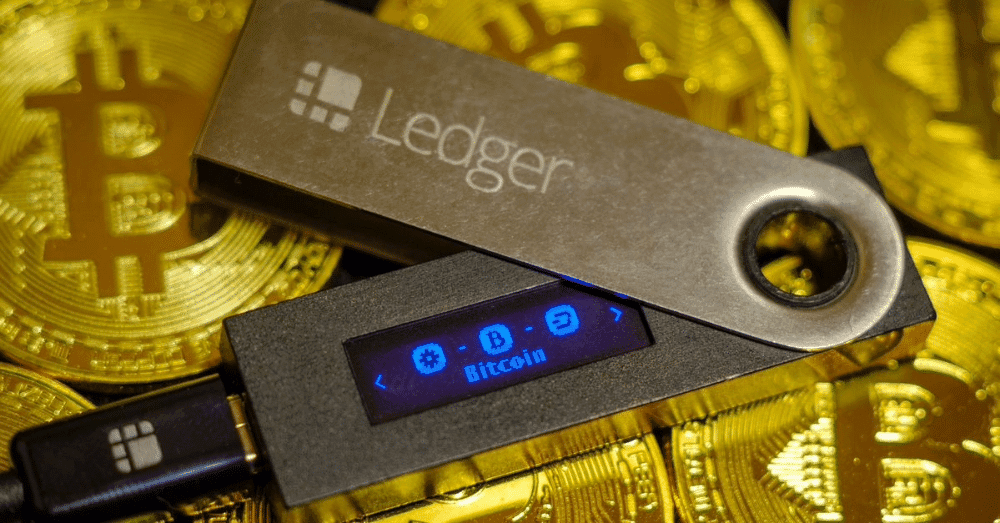
Ledger is probably the best-known name in hardware wallets. The Nano X supports more than 5,500 coins and tokens, has Bluetooth for mobile use and a military-grade security chip (EAL5+). The Ledger Nano S Plus is the more budget-friendly variant without Bluetooth, but with the same core security. Disadvantage: Ledger’s firmware is not completely open-source, which is seen as an objection by some users.
Trezor
Trezor is Ledger’s main competitor and explicitly chooses open-source software. The Trezor Safe 3 has an EAL6+ security chip and is considered a good all-rounder. The newer Trezor Safe 5 adds a touchscreen with haptic feedback.
NGRAVE ZERO
NGRAVE is a Belgian company and their ZERO wallet is technically the most extreme product in this segment: completely air-gapped, which means the device never connects in any way to another device or network. Transactions only take place via QR codes. For those who only want the very best in terms of security, NGRAVE ZERO is a completely air-gapped cold wallet, which means the device never connects to the internet. It’s also the first financial product in the world to achieve the highest international security certification (EAL7).
Tangem
Tangem works differently: instead of a USB device, they’re cards the size of a bank card that communicate via NFC (the chip in your bank card). No seed phrase needed. The back-up is done via additional cards. Simple to use, particularly low entry amount. Less suitable for technically advanced users who want maximum control.
Comparison at a glance:
Ledger Nano S Plus – good price, wide range of coins, closed firmware
Trezor Safe 3 – open-source, strongly secured, slightly smaller coin range
NGRAVE ZERO – maximum security, Belgian, higher price
Tangem – lowest barrier, card format, no seed phrase
How do you use a hardware wallet in practice?
The process is simpler than the technical explanation suggests.
Setting up
- Buy the wallet via the official website or an authorised reseller, never via second-hand marketplaces.
- Follow the setup instructions of the accompanying software (Ledger Live, Trezor Suite or the NGRAVE app).
- Write down your seed phrase carefully and store it separately and securely.
- Set a PIN code on the device itself.
Transferring crypto
After setting up, you send crypto from your exchange to the address of your hardware wallet:
- Open the accompanying app and click on ‘Receive’.
- Choose the coin and copy the address shown on your device.
- Always verify the address on the screen of your hardware wallet itself, never solely on your computer.
- Enter the address on your exchange and confirm the transaction.
The hardware wallet only stores the private key. The transaction history and total balance are on the blockchain itself.
So the device is more like a key ring than a safe.
What if you lose the device?
No panic, at least as long as you have your seed phrase. Buy a new device, choose ‘restore’ during setup, enter your seed phrase and you’ll have immediate access to all your crypto again. The device itself has no value without the seed phrase.
The most dangerous mistakes with hardware wallets
A hardware wallet offers excellent protection, but only if you handle it correctly.
- Storing seed phrase digitally. This is the most common mistake. A photo in your camera roll, a note in Google Keep, an email to yourself: all equally dangerous.
- Buying via second-hand platforms. A hardware wallet that has already been used or configured by someone else may have been tampered with.
- Copying addresses without verification. Malware can replace addresses in your clipboard. Always check that the address on your wallet’s screen matches.
- Sharing seed phrase with anyone. No legitimate service or support person will ever ask for your seed phrase.
Conclusion
A hardware wallet isn’t a gadget for tech enthusiasts or paranoid types. It’s a tool for anyone who takes cryptocurrency seriously. The lesson from FTX, Mt. Gox and dozens of other hacked or bankrupt platforms is always the same: as long as your crypto is on someone else’s servers, they’re someone else’s coins. With a hardware wallet, you are the bank yourself. That brings responsibility, but also a freedom that no exchange can offer.